
Published on November 18, 2025 · 8 min read
The Overlooked Security Flaw in Front-End Animations You Need to Know
Motion design makes interfaces feel alive — but if implemented carelessly, it can also expose user behavior, states, and data. Here's how to secure your animations and build safer UIs.
– By Roopan R, Front End Developer, Yuvabe Studios
Why This Conversation Matters
Motion design gives life to modern interfaces — the button that fades in, the field that shakes on error, the loader that shimmers. These micro-interactions make products feel alive and human.
But beneath that polish lies a hidden risk: motion can leak information .
Every animation or reactive update unfolds over time — and those milliseconds can tell a story. If one animation completes faster for “valid” input than for “invalid,” or if cached content loads quicker for returning users, a careful observer can infer private states (like whether a password is correct or an email exists) without ever seeing the data.
This phenomenon — known as a front-end timing side-channel — is subtle but increasingly relevant in modern, data-driven apps.
At Yuvabe Studios , we've spent years crafting interfaces that balance beauty, performance, and security. One lesson stands out: motion isn't just aesthetic — it's part of your data surface. Treating animation timing as sensitive information is the first step toward designing digital experiences that are both elegant and trustworthy.
The Risk, in One Minute
In front-end design, what you don't notice can still expose you. Every animation, transition, or micro-interaction happens over time — and that timing itself can become a data leak .
When motion varies between outcomes, it can reveal hidden information — even without access to your backend. A login form that validates “success” faster than “error,” a loader that spins slightly longer for failed credentials, or a skeleton that collapses quicker for cached content — all these subtle timing cues can act as side-channels.
Here's what typically leaks — and how it happens:
- What leaks: Validation results, email or username existence, password correctness, access levels, or cached vs. new user states.
- How it leaks: Through measurable timing differences — animation speed, transition delays, skeleton durations, or network-driven loading indicators.
- Optimization learning curve: Extracting maximum performance requires tuning.
The solution isn't to remove motion — it's to standardize time . By normalizing animation durations, padding responses, and keeping feedback consistent, you can make your interfaces both delightful and defensible .
Threat Model (Front-End Edition)
Timing is often the invisible threat vector in front-end security. Attackers don't need to see your code or hack your backend — they simply watch how your interface behaves over time .
Even the most polished UI can become a data oracle if motion and state changes aren't carefully handled.
Here's how timing side-channels emerge:
- What attackers can do: They measure the time between a user's action and the visual response. Using browser APIs like MutationObserver or Performance.now(), they can detect micro-timing differences that reveal sensitive outcomes such as“valid password,” “existing email,” or “admin role.”
- What they can't do: They can't directly read private data — but by correlating timing variations, they can infer internal logic from outside your codebase.
- Why it happens:Front-end code runs visibly and asynchronously. If success and error paths differ in animation duration, load timing, or frame pacing, they create detectable patterns that can be learned and exploited.
This is what researchers call a timing side-channel — a security flaw hiding not in your APIs, but in your UX.
At Yuvabe Studios , our approach integrates performance integrity and security by design:
- Ensuring all UI feedback maintains consistent pacing.
- Embedding timing parity testing into animation frameworks from the start.
Because in 2025, secure front-end design isn't just about how your app looks or feels — it's about how uniformly it behaves.
7 Real-World Leak Patterns You Might Be Overlooking
Not all leaks come from bad code. Some arise from design choices meant to improve UX. Here are seven common ways motion can compromise security — and how to prevent them.
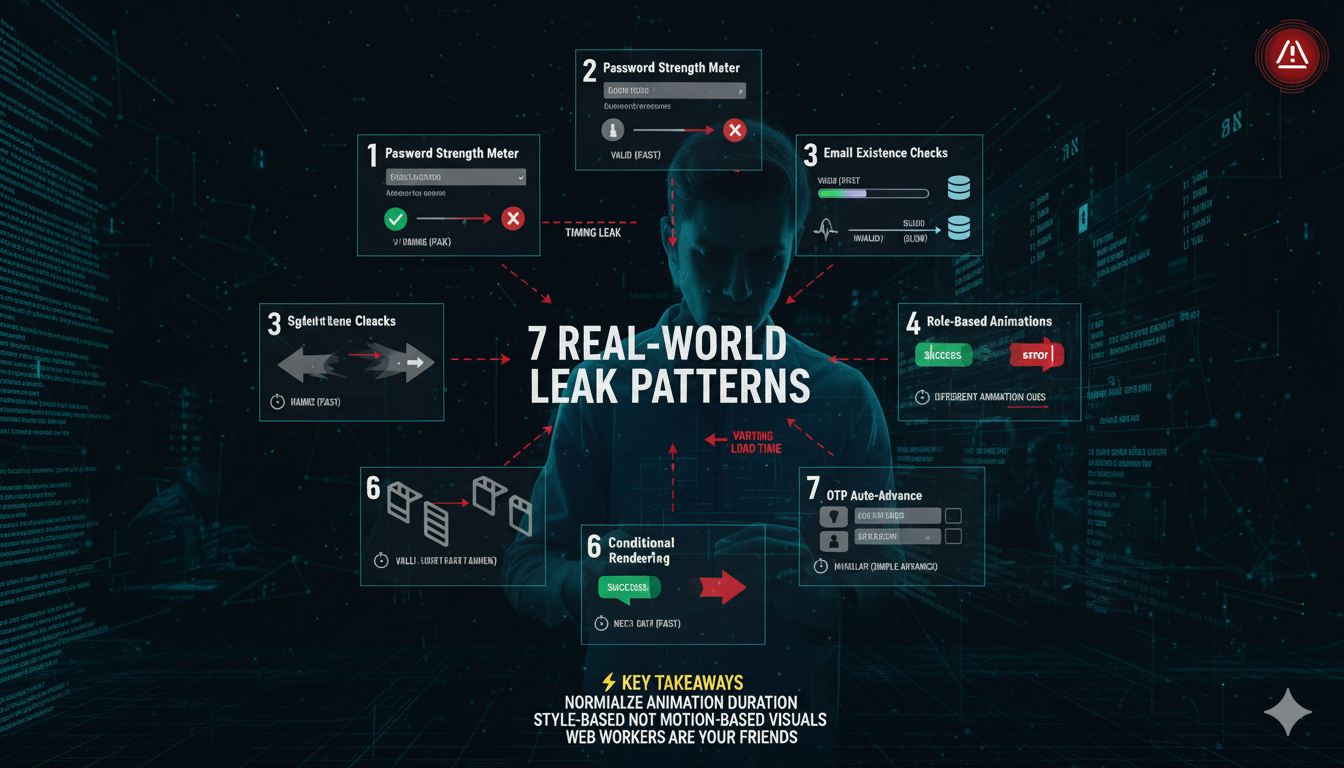
- 1. Inline Validation with Outcome-Linked Animation
✓ What happens: A field glows green for valid input, shakes red for invalid.
⚠️ Why it leaks: Attackers can measure the duration difference — faster often means success.
💡 Fix it: Keep durations identical; change color or icons instead of speed. - 2. Password Strength Meters
✓ What happens: Real-time strength feedback as users type.
⚠️ Why it leaks: Longer computation for complex passwords can reveal hints about length or entropy.
💡 Fix it: Use Web Workers or normalize evaluation time across all inputs. - 3. Email or Username Existence Checks
✓ What happens: “This email already exists” validation triggers instantly.
⚠️ Why it leaks: Faster responses for valid emails let attackers confirm accounts.
💡 Fix it: Add constant delay (e.g., 500ms) and debounce requests. - 4. Conditional Rendering for Success vs. Error States
✓ What happens: Smooth animation for success, bounce or fade for errors.
⚠️ Why it leaks: Visual differences reveal outcomes before text does.
💡 Fix it: Standardize animation timing; vary only color or icons. - 5. Skeleton Loaders That Reveal Cache State
✓ What happens: Cached pages load instantly, skeletons disappear faster.
⚠️ Why it leaks: Timing hints reveal returning users or cached content.
💡 Fix it: Maintain a minimum skeleton visibility duration across all states. - 6. OTP Auto-Advance
✓ What happens: OTP inputs auto-advance after validation.
⚠️ Why it leaks: Animation speed differs for valid vs. invalid codes.
💡 Fix it: Apply constant delay for both outcomes; reveal results only after the delay. - 7. Role-Based Animations
✓ What happens: Admin dashboards use smoother transitions.
⚠️ Why it leaks: Different motion patterns can expose user privilege levels.
💡 Fix it: Keep animation identical for all roles; reveal differences in content, not motion.
The Common Thread
Every example above shares a single vulnerability: inconsistent time-to-feedback. The goal isn't to eliminate motion — it's to design parity into motion.
When success and failure take the same time, your interface becomes smoother, smarter, and more secure. At Yuvabe Studios , we build motion systems with integrity — ensuring every transition delights users while protecting their data.
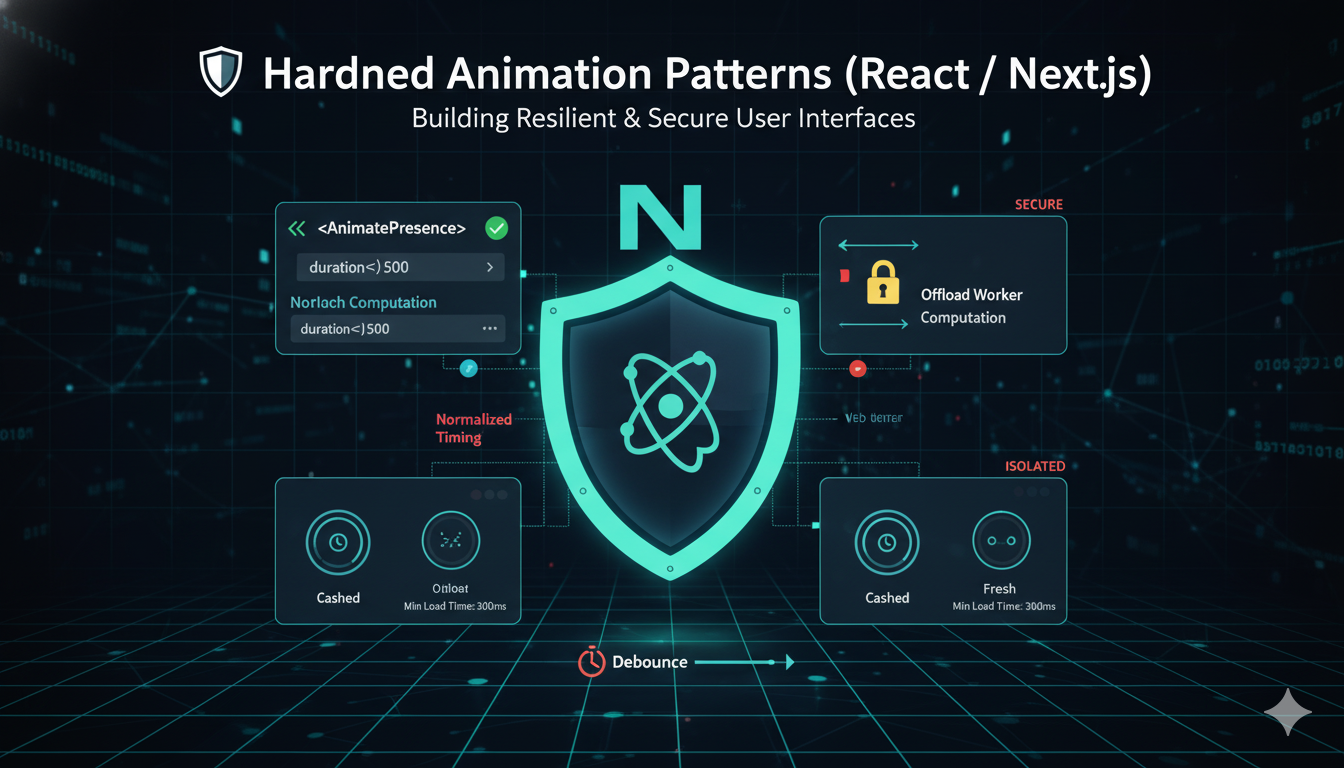
Hardened Animation Patterns (React / Next.js)
Front-end animations can leak sensitive information if timing differences reveal validation results, roles, or cached data. To secure your UI, follow these hardened animation patterns.
1. Use Consistent Animation Durations
Different animation speeds can unintentionally reveal outcomes (valid vs invalid inputs). To prevent timing leaks, ensure all animations use the same duration regardless of result.
Example with CSS transitions:
.input-feedback {
  transition: all 0.3s ease-in-out; /* same duration for success/error */
}

.input-success {
  color: green;
}

.input-error {
  color: red;
}In React (TSX), apply the same duration while switching classes:
<div className={`input-feedback ${isValid ? 'input-success' : 'input-error'}`}>
  {message}
</div>2️. Debounce & Pad Validation Responses
Instant feedback can leak data via response timing. Attackers may infer input correctness by measuring delays.
How to Implement:
- Debounce input validation: wait for a pause in typing before triggering checks.
- Pad response times: ensure server responses take a minimum fixed time (e.g., 500ms), even for fast validations.
import { useState, useEffect } from 'react';

function useDebounced(value: string, delay = 300) {
  const [debouncedValue, setDebouncedValue] = useState(value);

  useEffect(() => {
    const timer = setTimeout(() => setDebouncedValue(value), delay);
    return () => clearTimeout(timer);
  }, [value, delay]);

  return debouncedValue;
}// Example in an API route
const start = Date.now();
// perform validation...
const duration = Date.now() - start;
const MIN_DELAY = 500;
if (duration < MIN_DELAY)
await new Promise(r => setTimeout(r, MIN_DELAY - duration));3. Delay or Pad State Changes Using React Hooks
Even local UI state changes (like showing a success or error message) can reveal timing differences. If the UI reacts faster for valid inputs, attackers can measure the difference. By adding a constant delay before showing the result, both valid and invalid cases take the same time.
Example using a constant padded delay:
import { useState, useEffect } from 'react';

function SafeValidation({ isValid }: { isValid: boolean }) {
  const [showResult, setShowResult] = useState(false);

  useEffect(() => {
    const timer = setTimeout(() => setShowResult(true), 400); // constant delay
    return () => clearTimeout(timer);
  }, [isValid]);

  return (
    <div className={`input-feedback ${isValid ? 'input-success' : 'input-error'}`}>
      {showResult ? (isValid ? 'Valid!' : 'Error!') : 'Checking...'}
    </div>
  );
}4. Test UI Parity for Timing Differences
Even small differences in animations or state updates can leak information. Review success and error flows with DevTools, and use automated tests to ensure parity across outcomes.
How to implement:
- Review animations in DevTools and compare success vs error flows (duration, easing, delays).
- Use unit tests or visual regression tests (Percy, Chromatic, Playwright + snapshotting) to assert parity.
- Check edge cases: fast typing, cached data, network latency, and offline/slow conditions.
Summary of Best Practices
- Normalize animation duration for all outcomes.
- Debounce input events to prevent timing attacks.
- Pad server or local validation responses to a constant duration.
- Delay state changes using React hooks for sensitive flows.
- Test UI parity — animations and state updates must look and feel consistent.
Testing & Validation: How to Prove Your UI Is Safe
- Automated Timing Probes –Use
MutationObserveror similar tools to monitor DOM changes and ensure consistent timing for sensitive flows. - Frame Timeline Inspection –Analyze animations in Chrome Performance to detect unintended differences between success and error states.
- Network Padding Verification –Confirm that server responses are padded to constant durations to prevent timing leaks.
- Accessibility Parity Checks –Test reduced-motion modes and ARIA live regions to ensure feedback timing is consistent across users.
Accessibility & Privacy Guardrails
- Respect
prefers-reduced-motionwhile maintaining timing parity. - Use ARIA polite live regions for consistent feedback.
- Avoid focus or cursor cues that differ based on outcomes.
- Ensure motion-reduced users receive the same constant-time experience.
Hardened Animation Design Checklist
- Normalize animation duration and easing for success and error states.
- Debounce and pad network responses and local validations.
- Move heavy computations (e.g., password hashing, strength checks) to Web Workers.
- Delay disclosure of sensitive information such as email existence or user role.
- Maintain a constant skeleton loader visibility for all users.
- Ensure motion-reduced modes still follow timing parity.
- Test time-to-feedback consistency across all UI states.
Common Pitfalls to Avoid
- Different keyframe lengths for success vs error.
- Skeleton loaders ending early for cached or returning users.
- Revealing existence hints in real-time inputs.
- Performing password hashing or heavy logic on the main thread.
- Animations that expose feature flags or user roles.
Conclusion
Animations should delight — not disclose. Treat timing as sensitive data: normalize it, encapsulate validation in constant-time envelopes, and rigorously test for parity. Following these principles ensures your front-end is as secure as it is seamless.
💡 Have a project that needs secure and seamless front-end experiences?
Partner with Yuvabe Studios to bring cutting-edge UI, animation, and performance best practices to life.